Waterfall Chart Maker — Create Waterfall Charts Online for Free
Built for P&L statements, cash flow analysis, budget bridges, and any time you need to show how components add up to a total. Free to start.
When to Use a Waterfall Chart
Waterfall charts work best when you need to explain how you got from one number to another — what drove the change, and by how much.
P&L Bridge
Start with gross revenue, subtract COGS, operating expenses, and taxes to arrive at net profit. Each line item becomes a visible component.
Cash Flow Analysis
Show operating cash inflows and outflows, investment activity, and financing to explain the change in cash position.
Budget Variance
Show the gap between budget and actual by component — which categories came in under, which went over, and the net impact.
Revenue Bridge
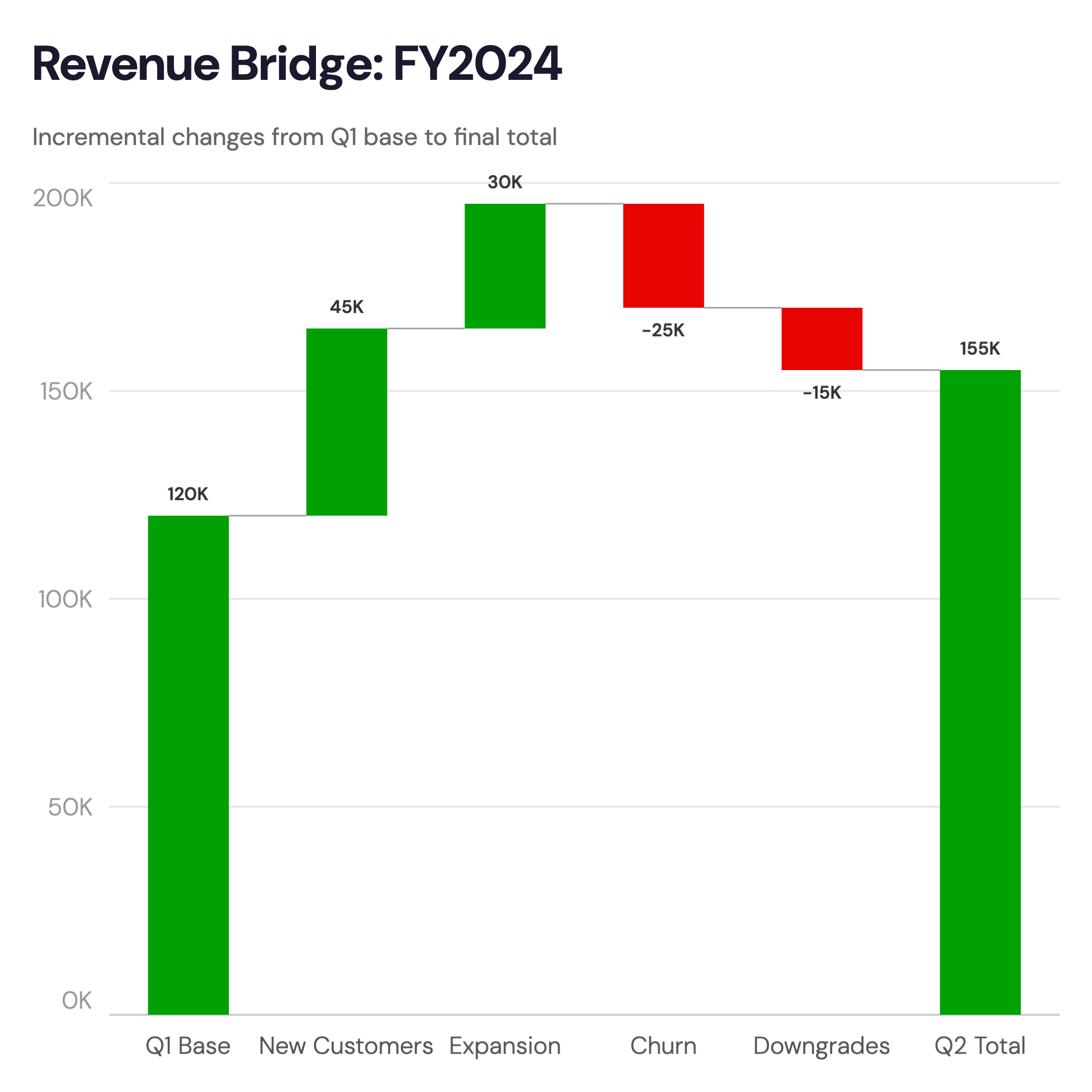
Explain the change in revenue from one period to the next: new customers, expansion, churn, price changes — each as a separate bar.
Headcount Change
Starting headcount, hires, attrition, and ending headcount. A waterfall makes workforce changes transparent at a glance.
Cost Breakdown
Decompose a total cost into components — materials, labor, overhead, margin — so stakeholders understand where money goes.
Waterfall Chart vs Bar Chart
Both use vertical bars — but they answer different questions.
Waterfall Chart
Best for: Decomposition — showing how a total is built up or broken down step by step.
Strength: Makes cumulative effects visible — audiences immediately see which components contribute most and in which direction.
Use when: Explaining a P&L, budget bridge, cash flow, or variance analysis.
Bar Chart
Best for: Comparison — showing independent values side by side.
Strength: Simple and widely understood — every bar starts at zero, making absolute values easy to compare.
Use when: Comparing revenue by region, product, or time period where values are independent.
AECharts supports both. Switch between waterfall and bar to find the right format for your data.
How to Create a Waterfall Chart
Choose a template
Browse waterfall chart templates and pick one that matches your style.
Paste your data
Copy from Excel or Google Sheets. One row per component with a positive or negative value — AECharts builds the stacked bars automatically.
Customize colors and style
Set colors for gains, losses, and totals. Match your brand or use a built-in theme.
Export as video or image
Export as a 1080p MP4 or static image. Drop into slides, reports, or share directly.
Frequently Asked Questions
Create Your Waterfall Chart Today
Paste your data, pick a template, and export in under a minute. Free to start — no credit card required.
Related