Dumbbell Chart
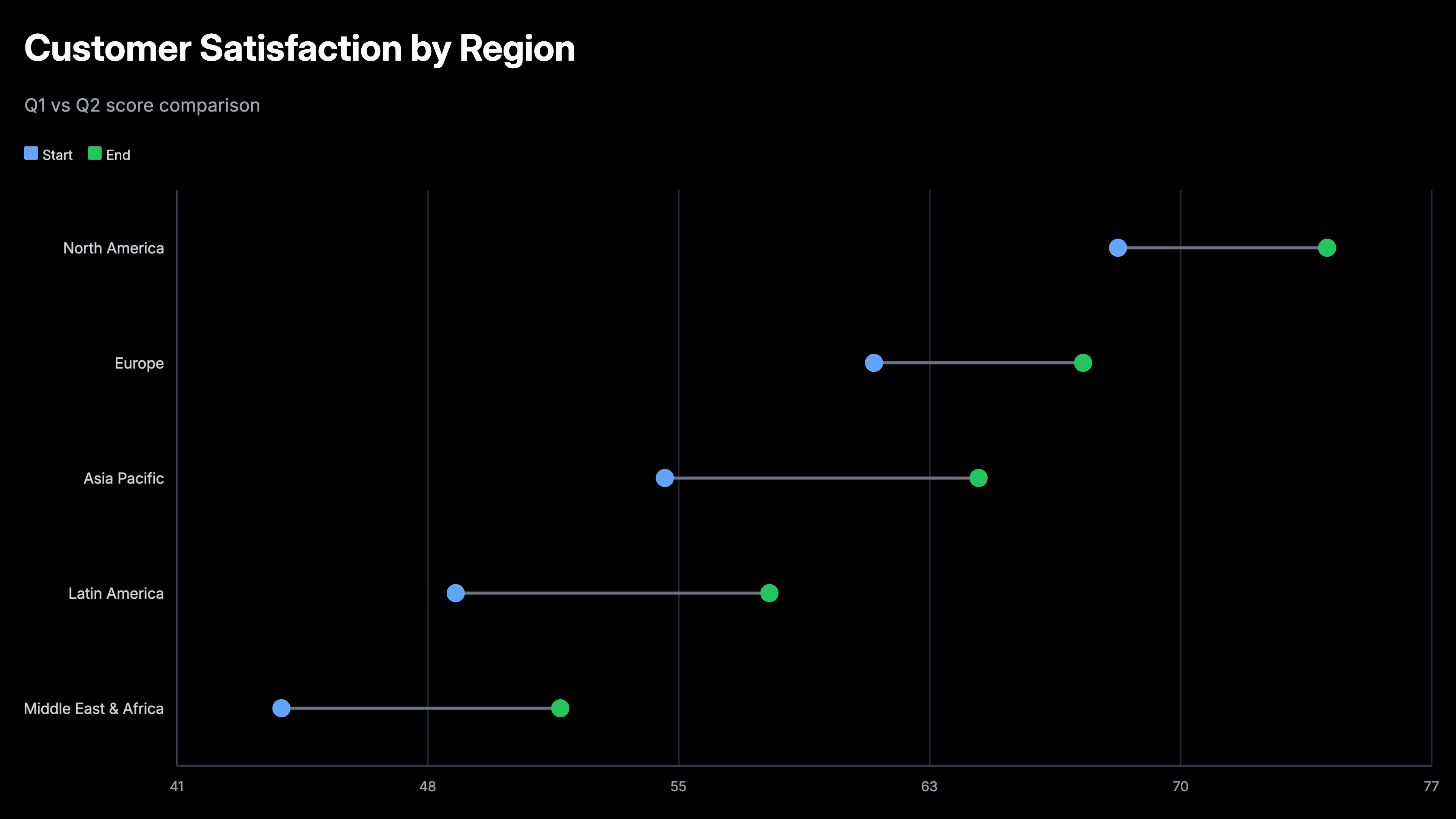
A dumbbell chart — also called a dumbbell plot, connected dot plot, or barbell chart — shows two values per category connected by a horizontal line. The dots mark the two endpoints and the line makes the gap between them immediately visible. Use AECharts to build dumbbell charts from your Excel or Google Sheets data for before/after comparisons, target vs actual analysis, and year-over-year performance.
How to Create a Dumbbell Chart
Select the dumbbell chart type
Open the AECharts editor and select Dumbbell Chart from the chart type picker. If you want a different visual style, browse the template explorer on the right panel and click any template to apply it instantly.
Enter your data
Click "Edit Data" in the top-right corner to open the spreadsheet. The first column holds your category names — each row becomes one dumbbell. The second column is the first value (for example, last year or the target) and the third column is the second value (for example, this year or the result). Import directly from Excel or Google Sheets, or upload a CSV or Excel file.
Adjust styling
Use the top menu bar to customize the look. Set a color for each endpoint dot independently so the two values are visually distinct. Adjust the connecting line color and width, and the dot radius. Show value labels next to each dot and control the number format, prefix, and suffix. The usual label, tick, axis, and grid options including font, size, and color are all available. Every change previews instantly.
Export
When you're ready, export as PNG, JPEG, PPTX, or MP4. Drop into slides, reports, or share directly.
Dumbbell Chart Maker Features
Easy Data Import
Import from Excel or Google Sheets. Three columns: category, first value, second value. AECharts builds the connected dot chart automatically.
Custom Colors per Endpoint
Each endpoint dot gets its own color. Use contrasting colors to make the gap immediately visible.
Export for Any Format
Export as PNG, JPEG, PPTX, or MP4. Works in PowerPoint, Google Slides, and reports.
Labels & Values
Show exact values next to each dot. Control number formatting, prefix, suffix, and label position from the editor.
Real-time Preview
See every change instantly. What you see in the editor is exactly what exports.
No Design Skills Needed
Templates are professionally designed. Import your data, adjust colors, and export. Most users are done in under a minute.
When to Use a Dumbbell Chart
Dumbbell charts work best when you have exactly two values per category and the gap between them is the story.
Before vs After
Show the impact of a change — revenue before and after a product launch, churn before and after a retention campaign, NPS before and after a redesign.
Target vs Actual
Quota vs closed deals by rep. Budget vs actual spend by department. OKR target vs current result by team. The gap tells the story.
Year-over-Year Comparison
Revenue, headcount, or key metrics this year vs last year across multiple segments, regions, or product lines in a single clean chart.
Plan vs Result
Forecast vs actual at the end of the quarter. Show where you outperformed and where you missed across multiple lines of business.
Competitive Benchmarking
Your metric vs industry average across categories: NPS, gross margin, CAC, churn. Each category gets a dot for you and a dot for the benchmark.
Survey Comparison
Employee satisfaction scores this year vs last year by department. Or pre-survey vs post-survey results after an intervention.
Dumbbell Chart vs Grouped Bar Chart
Both compare two values per category, but they emphasize different things.
Dumbbell Chart
Best for: Highlighting the gap between two values: before/after, plan/actual, this year/last year.
Strength: The connecting line makes the difference immediately visible. Cleaner and less cluttered than two bars per category.
Use when: The change or gap is the headline, not the absolute values.
Grouped Bar Chart
Best for: Comparing absolute values side by side when both values matter equally.
Strength: Bar height is easy to compare and familiar to most audiences.
Use when: You want readers to compare both values individually, not just the gap.
AECharts supports both. Switch between dumbbell and grouped bar to find the right format for your data.
Frequently Asked Questions
Create Your Dumbbell Chart Today
Import your data, pick a template, and export in under a minute. Free to start, no credit card required.